Validate every
blueprint, instantly.Catch every violation.
ArchChain checks architectural drawings against building codes automatically. Violations are flagged with the exact code section, fixed before submission, and exported as a municipality ready compliance report.
Full code review in under 2 minutesLive Compliance Check
Blueprint Analysis
Code Category Coverage
Recent Findings
Front setback 3.0m
Required minimum 2.5m. Compliant.
Stair egress width 0.95m
Required minimum 1.10m. Violation flagged.
Accessible ramp slope 1:11
Borderline. Recommended 1:12 or shallower.
Plot coverage 47 percent
Within zoning limit of 50 percent.
How ArchChain Works
From upload to a submission ready report in four steps.
Upload Blueprint
Drop your CAD, BIM, or PDF drawings into ArchChain. Floor plans, elevations, and site plans are parsed and indexed automatically.
Run Compliance Check
AI agents scan every dimension, clearance, and detail against the active code library. Hundreds of rules evaluated in under two minutes.
Review Violations
Each finding shows the exact code section, the offending element, and a recommended fix. Resolve directly on the drawing or push back to design.
Generate Report
Export a municipality ready compliance report with cited sections, pass status, and a full audit trail. Submit with first time approval confidence.
Built for how buildings get approved.
Every capability is shaped by the realities of code review, municipality submission, and design iteration.
Living Code Library
Bahrain building codes ship in the box. Add or override rule sets for any jurisdiction, with full version history. Every finding cites the exact section, edition, and clause.
Two Sides, One Platform
Architects design with code intelligence in the loop. Municipalities review submissions with the same engine. Findings reconcile across both sides.
Architect Mode
Pre-submission validation
Reviewer Mode
Automated permit screening
Versioned by Default
Every save creates a snapshot. Compare revisions side by side. Roll back instantly. Audit trail built in.
Findings That Tell You Exactly What to Fix
Each violation cites the code section, points to the offending element on the drawing, and proposes a fix. Reviewers and designers see the same evidence.
Compliance
94%
Open Issues
4
See exactly what ArchChain does.
From the project overview to a submission ready report. Every screen below is the actual product, not a mockup.
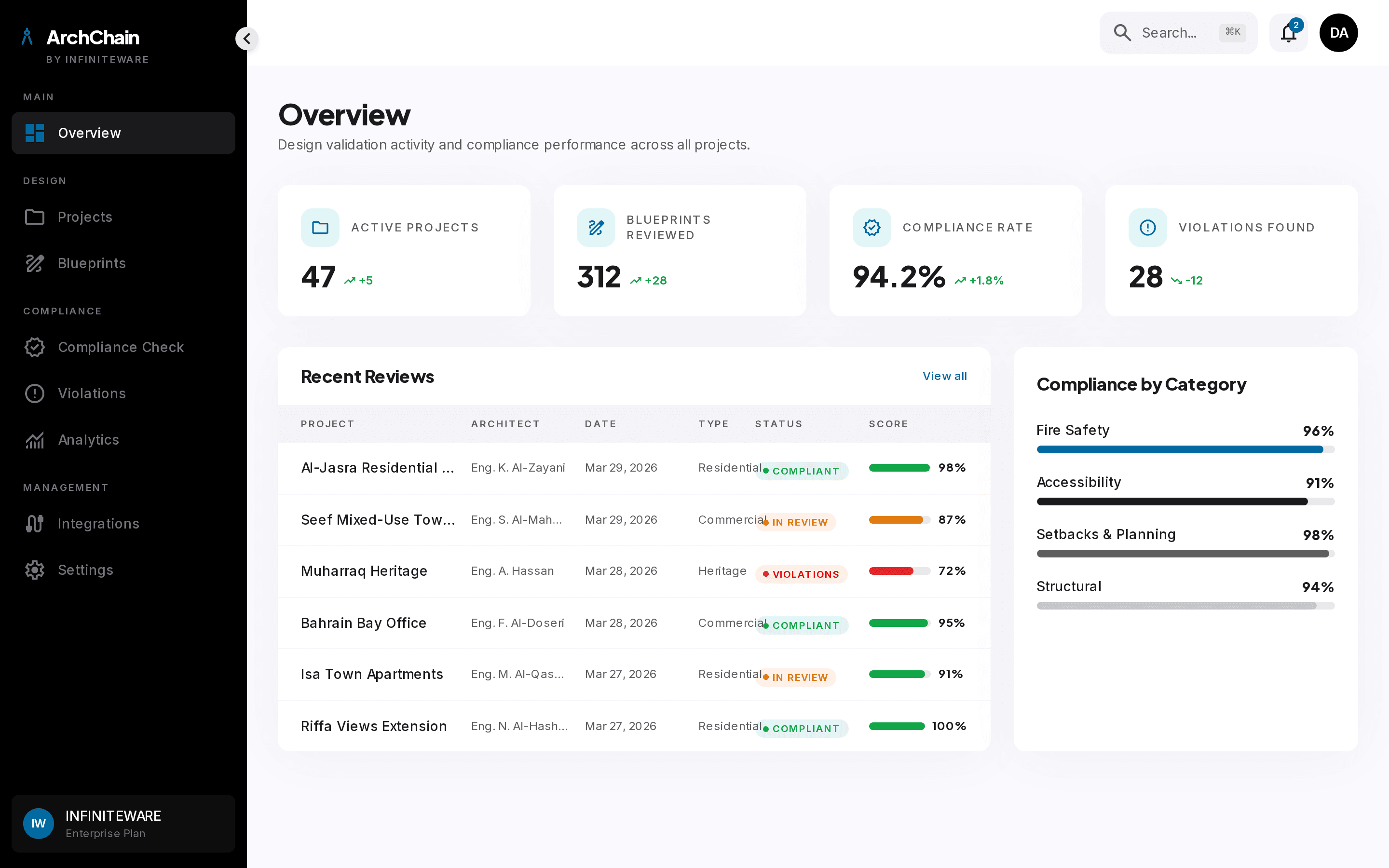
Every project, every status, on one screen.
The overview gives architects, reviewers, and project managers a single source of truth: which blueprints are clean, which are flagged, and which are ready to submit. Stop chasing email threads for status.
- Live compliance score per project, recalculated on every save
- Submission readiness flag drawn straight from the rule engine
- Quick filters by jurisdiction, building type, and stage
- At a glance counts of open violations, warnings, and approvals
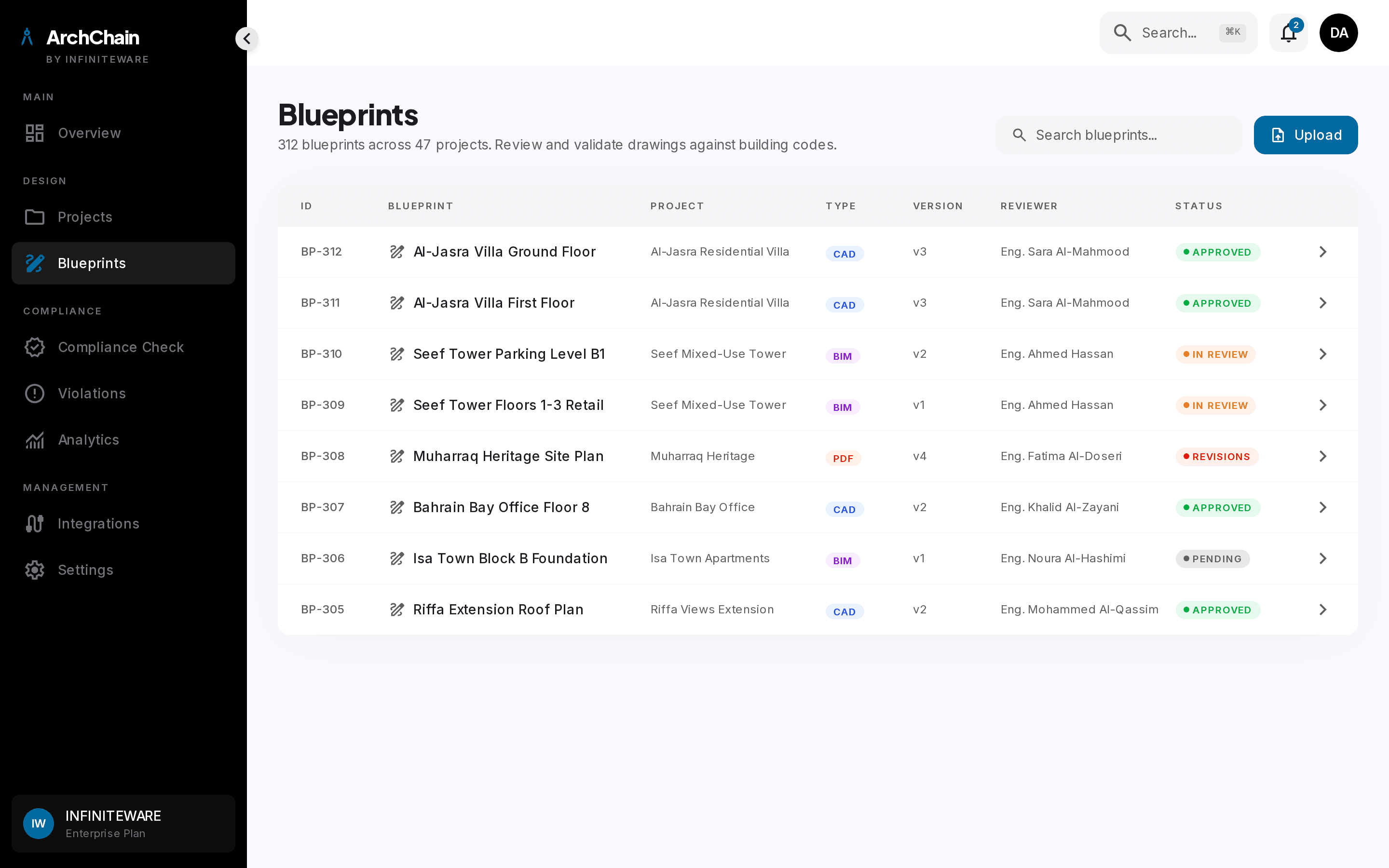
Drawings annotated where the rules apply.
Upload CAD, BIM, or PDF drawings. ArchChain parses geometry, detects rooms, doors, stairs, and clearances, then anchors each rule check to the precise element on the plan.
- CAD, BIM, and PDF support with automatic element detection
- Inline measurements: setbacks, clearances, and corridor widths
- Layer toggles for planning, fire, accessibility, and structural
- Pin a finding to the exact wall, door, or stair on the drawing
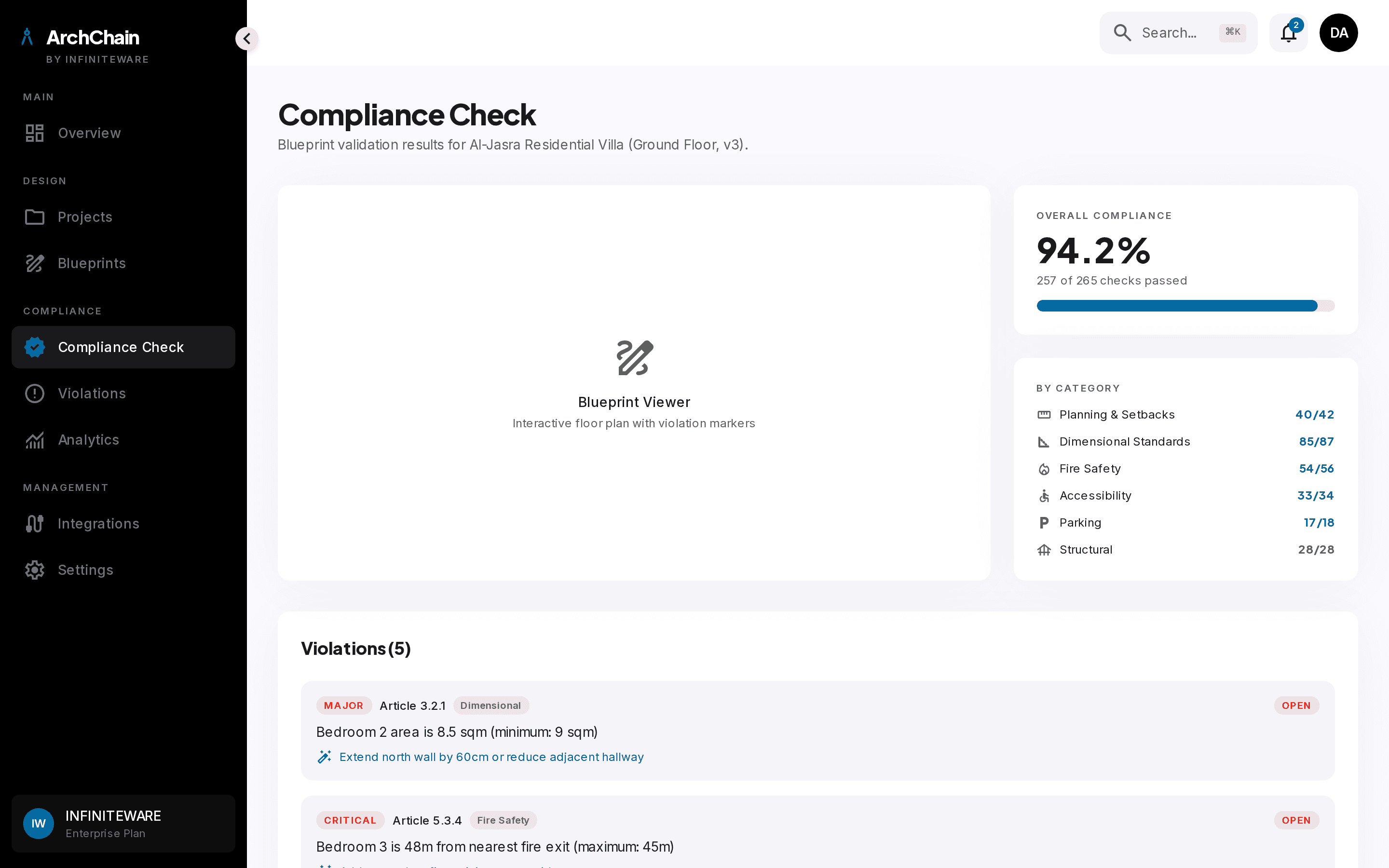
Every code, every clause, every check.
The compliance dashboard shows every rule that ran, what passed, what failed, and why. Reviewers and designers work from the same evidence with the same code references.
- Hundreds of rules across planning, fire, accessibility, structural
- Each finding cites the exact section, edition, and clause
- Pass, warn, and fail states with confidence on every check
- Stamp a clean run as the official submission package
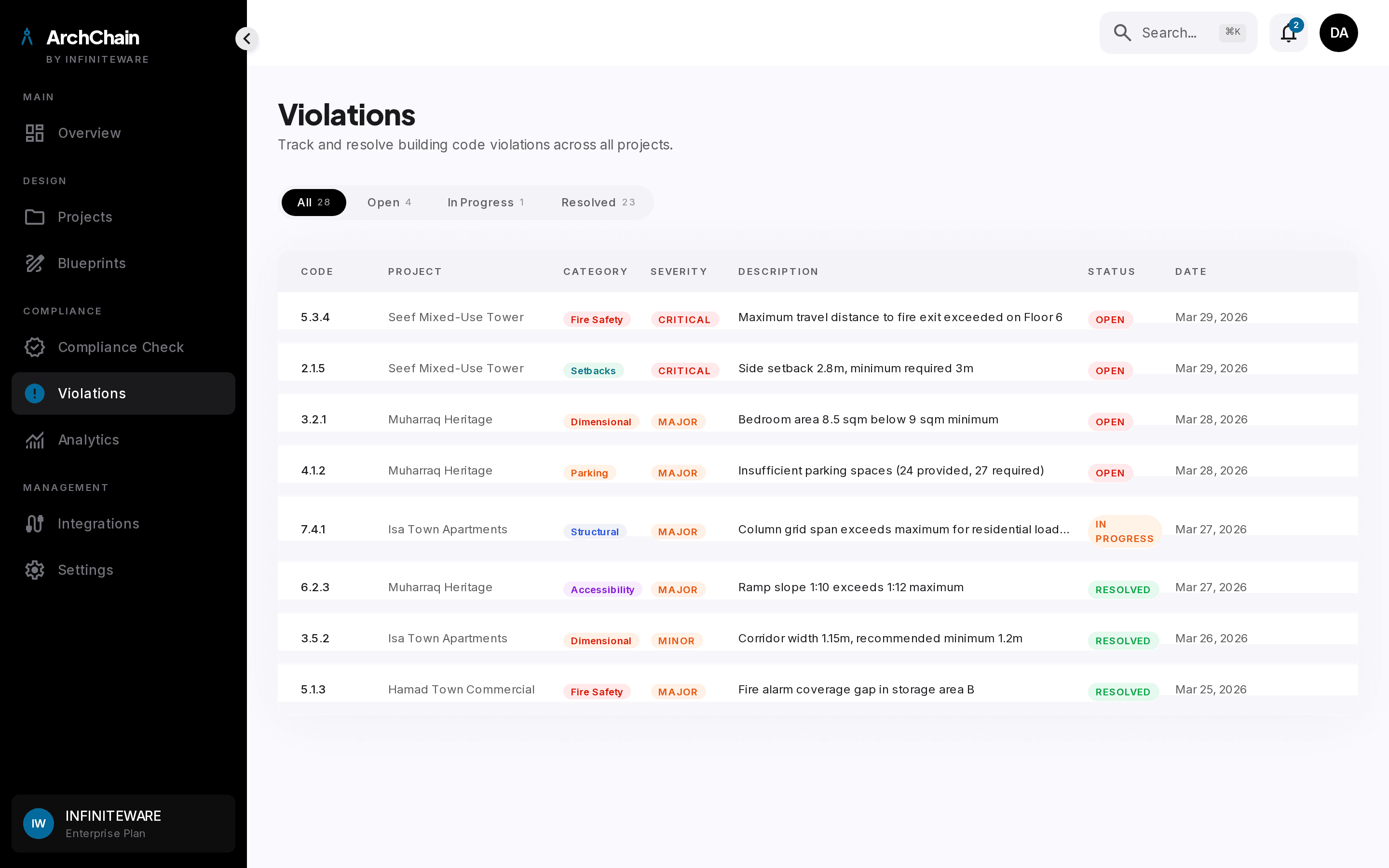
From flagged to fixed without leaving the file.
Violations are not a wall of red. Each one comes with the offending element, the code reference, and a recommended fix. Assign, comment, and resolve directly on the drawing.
- Severity tagged: critical, major, minor, with sort and filter
- Recommended fix on every violation, not just the rule citation
- Assign to a designer or engineer with one click
- Resolution history is captured in the project audit trail
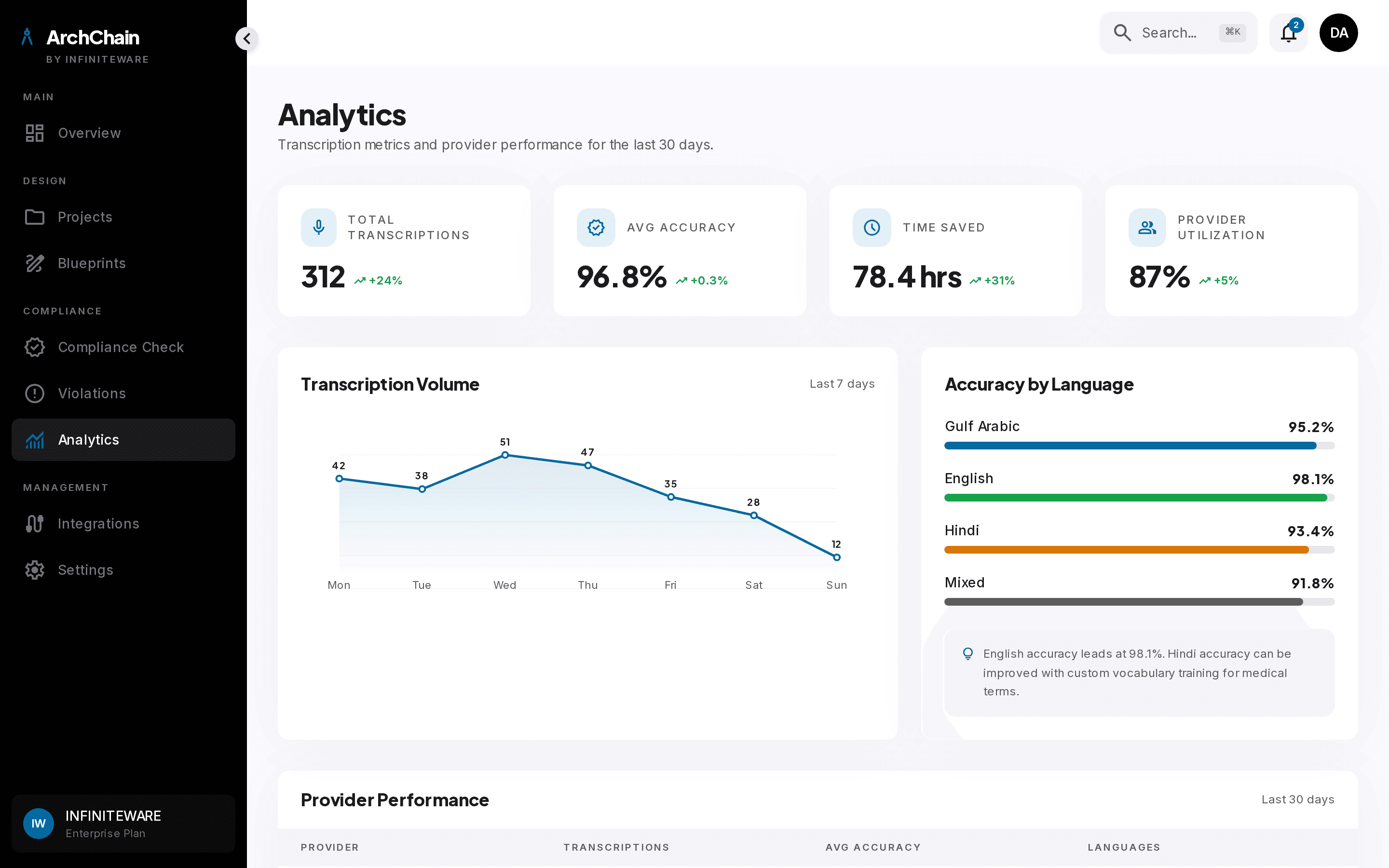
Approval rates, cycle times, and bottlenecks.
ArchChain quietly captures the data every architecture firm and municipality has been missing: which violations recur, which projects stall, and where review queues back up. Use it to fix the process, not just the building.
- First time approval rate trended over time
- Most common violations by category and jurisdiction
- Average review cycle time and where backlog accumulates
- Per-reviewer and per-team productivity benchmarks
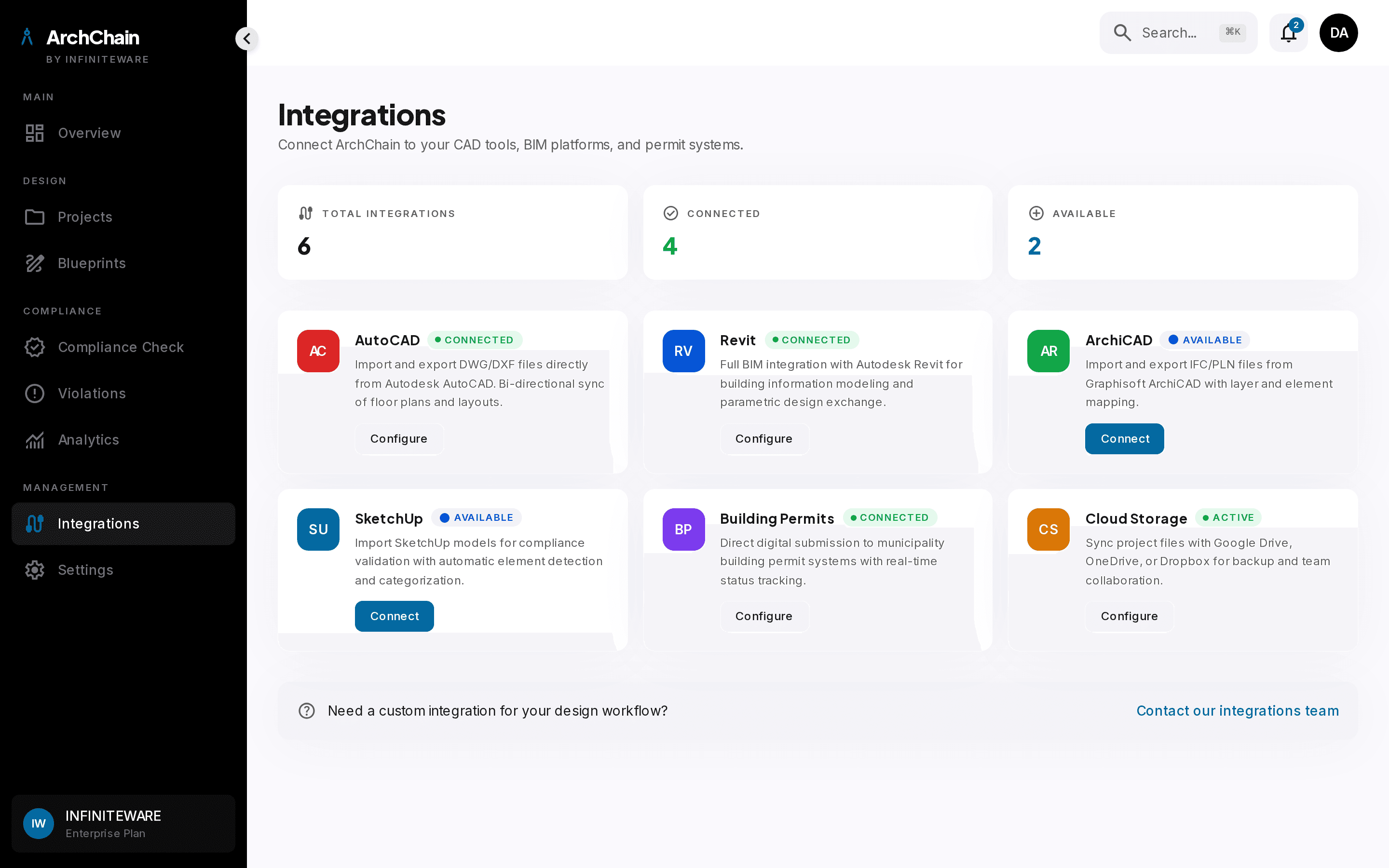
Plugs into the tools your team already uses.
ArchChain is not a replacement for AutoCAD or Revit. It connects to the design tools, document repositories, and submission portals your team relies on, without forcing anyone off familiar software.
- Native CAD and BIM importers, including DWG, RVT, and IFC
- Document repository sync for spec sheets and approvals
- Submission portal connectors for municipality e-services
- API and webhooks for project management and ERP systems
From design studios to permit offices.
ArchChain serves both sides of the approval table: the firms designing buildings, and the authorities reviewing them. Same codes, same engine, different lens.
Municipality Review
Permit offices use ArchChain as a preliminary screening engine on every incoming submission. Reviewers see compliance scores, cited violations, and a structured checklist before opening the drawing. The same rule engine runs every time, so applicants are judged on the same standard regardless of which engineer picks up the file.
- Preliminary screening cuts manual review time substantially
- One consistent rubric applied across every reviewer
- Audit trail of findings, fixes, and approvals on every project
Design and Submission
Architecture practices run ArchChain alongside their CAD and BIM tools. Compliance checks happen as drawings evolve, so violations are caught when they are cheapest to fix. Submission packages export with a clean compliance report attached, which is what review teams actually want to see.
- Catch violations during design, not after submission
- Cited code references on every flag, no guessing the section
- Submission ready report exports straight from the project
Ready to validate your next
blueprint in minutes?
Request a DemoBahrain building codes built in. Custom code libraries supported. On premise deployment available.